That bloody Covid pandemic didn’t bring us much good, but in my case it gave me the time to fulfil a long-held dream that had been on my mind for ages: building my own home arcade machine. I’m from the generation that grew up before the days of home consoles, and we’ve got those moments with friends at the arcade playing Double Dragon or Golden Axe, and the hours spent on Tetris and Pang with a beer propped up on the arcade machine’s stand, etched into our memories. Three months locked down at home allowed me to carry out this plan, and with the help of a few online shops, I was able to make it happen. What I’m about to tell you is the story of that moment – the creation of my homemade arcade machine.
INTRODUCTION
Every time I saw an arcade machine in an article or a photo, or every time I saw a Bartop at a friend’s house, it reminded me that I wanted one for my own home. During lockdown, I decided to upgrade my main computer; it was getting on a bit and needed updating, so with the help of Amazon and PcComponentes, I set about doing just that. I fitted a new case, a new motherboard, a new AMD processor, new RAM and a new graphics card (I made a mistake here, but that’s another story). When I’d finished assembling my new computer, I found myself with an old motherboard, an old processor, some old RAM and an old graphics card that still had some life left in them. They were obsolete components, but they weren’t dead, so I decided to give them a new lease of life by fitting them inside an arcade machine.
FIRST STEPS
The first decision had already been made: I wanted an arcade machine, but I wasn’t sure whether I wanted a Bartop model (a desktop model, to be placed on a table), a [wall-mounted](https://skullarcade.com/content/52 -arcade-machine-configurator-wall-mounted-arcade-machine-spider) (which hangs like a picture) or one with a pedestal, like the machines in arcades. I ruled out the wall-mounted ones; between the weight of the ‘toy’, the excitement of a ‘Street Fighter’ or a ‘Mortal Kombat’, and the fact that walls these days are as flimsy as paper, I preferred not to take the risk. I already had friends with Bartop units and I found the idea of being able to move the ‘toy’ around quite interesting, but there are simpler solutions for this, such as arcade tables. It had to be a model with a plinth and it had to be big (I’m over 190 cm tall). The truth is that if you’ve got the time and you’re passionate about building things, this project will keep you busy for hours on end, so let’s carry on, because now I had to find the frame.
LOOKING FOR THE RIGHT SETUP
At first, I searched online and found arcade machines built around JAMMA or Pandora boards that looked really good, but the price was sky-high and they were limited by the capabilities of the boards themselves. That wasn’t what I had in mind; I wanted to spend as little money as possible and have as many emulators as possible. I also found plans drawn up by individuals with dimensions that matched what I was looking for. I also had to find a joinery workshop that would cut the timber to these plans and send it to my home. I found the latter, and I liked this solution because the price was very cheap (the cost of the chipboard and a few hours’ labour). Then I had to find another place to have the vinyl decals made – designing them based on those measurements, cutting them out, sending them, and so on. I found that too, but at the same time I came across a site that bundled all these processes together and, quite frankly, saved me a lot of headaches.
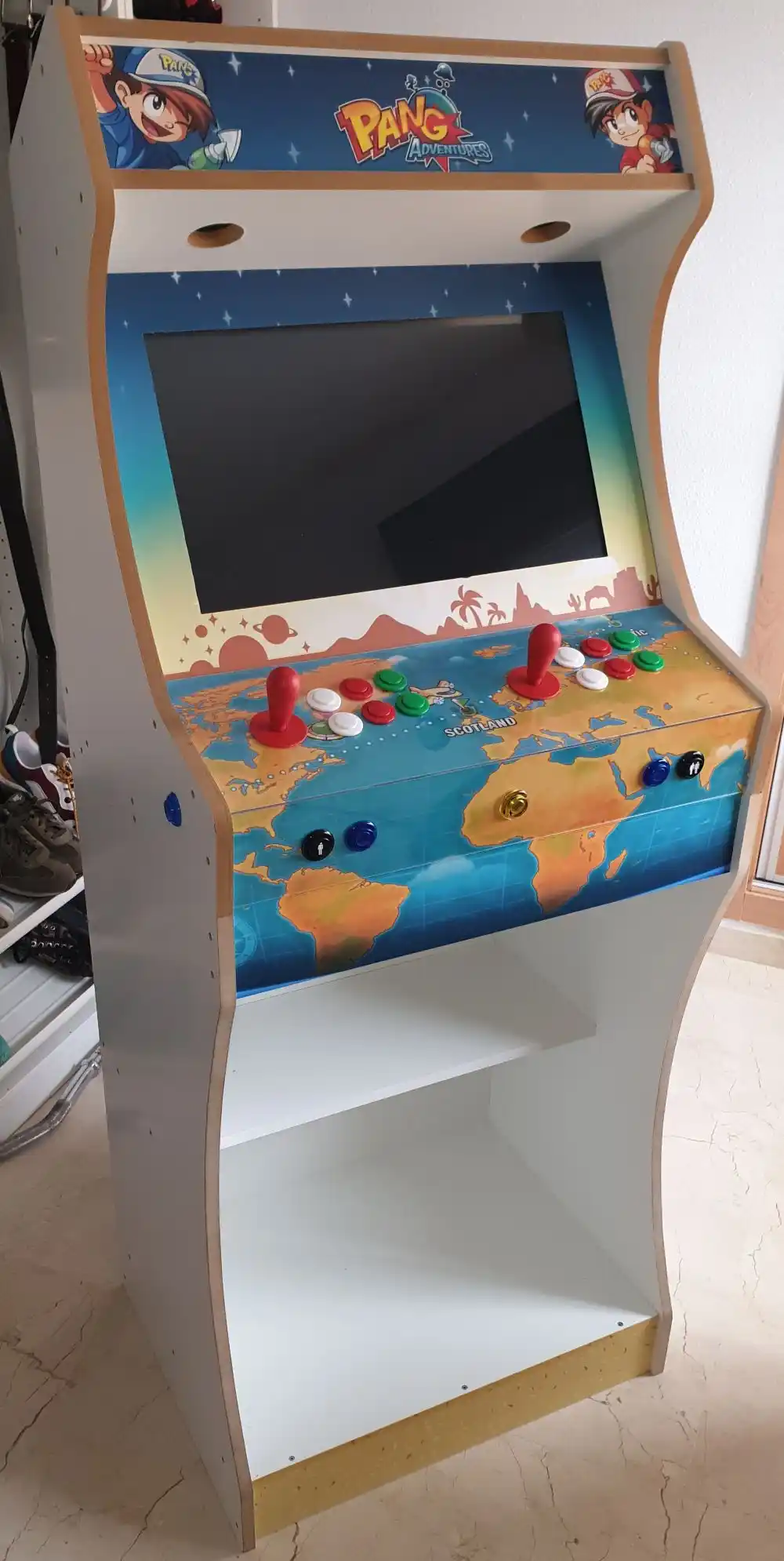
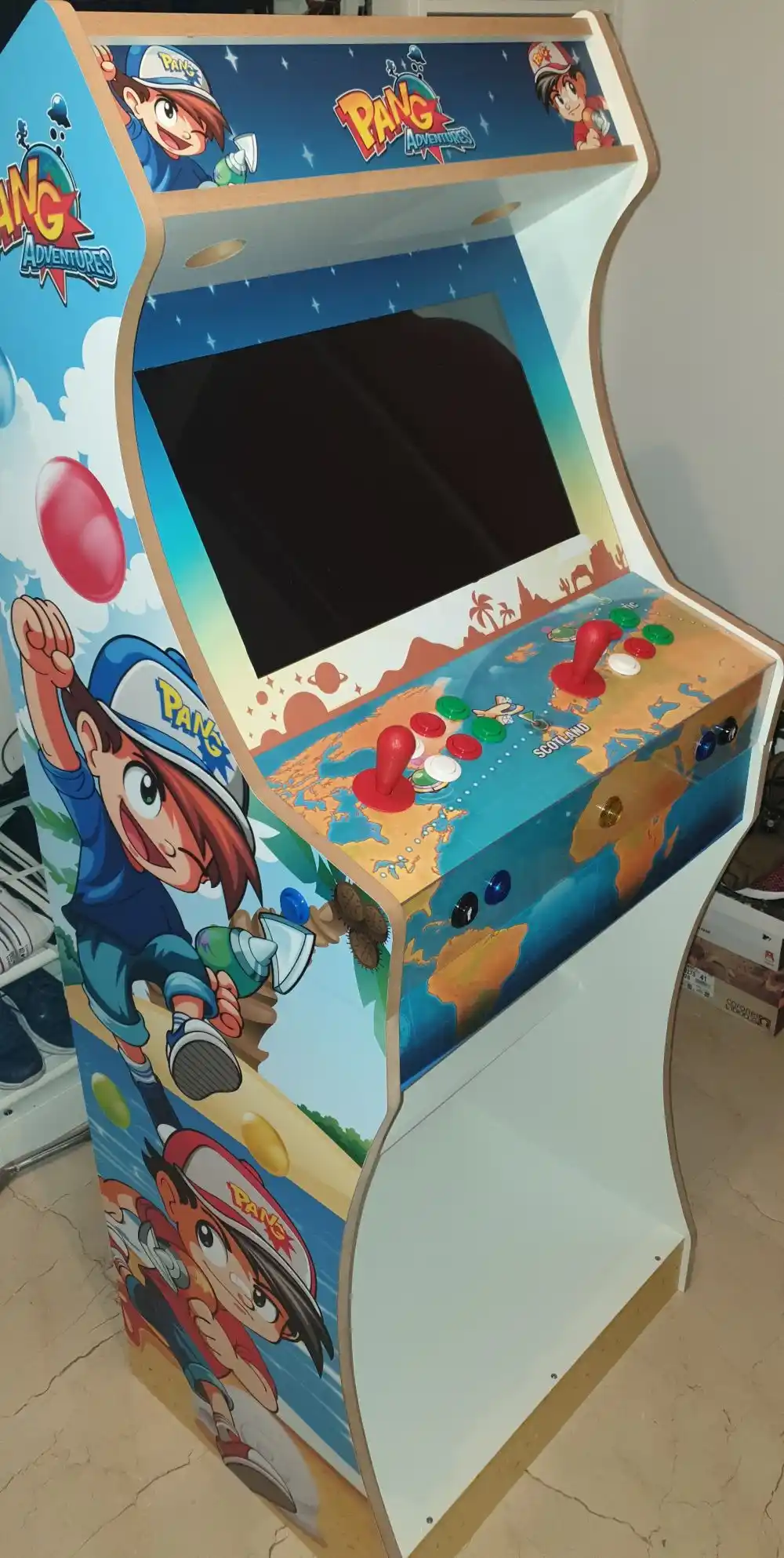
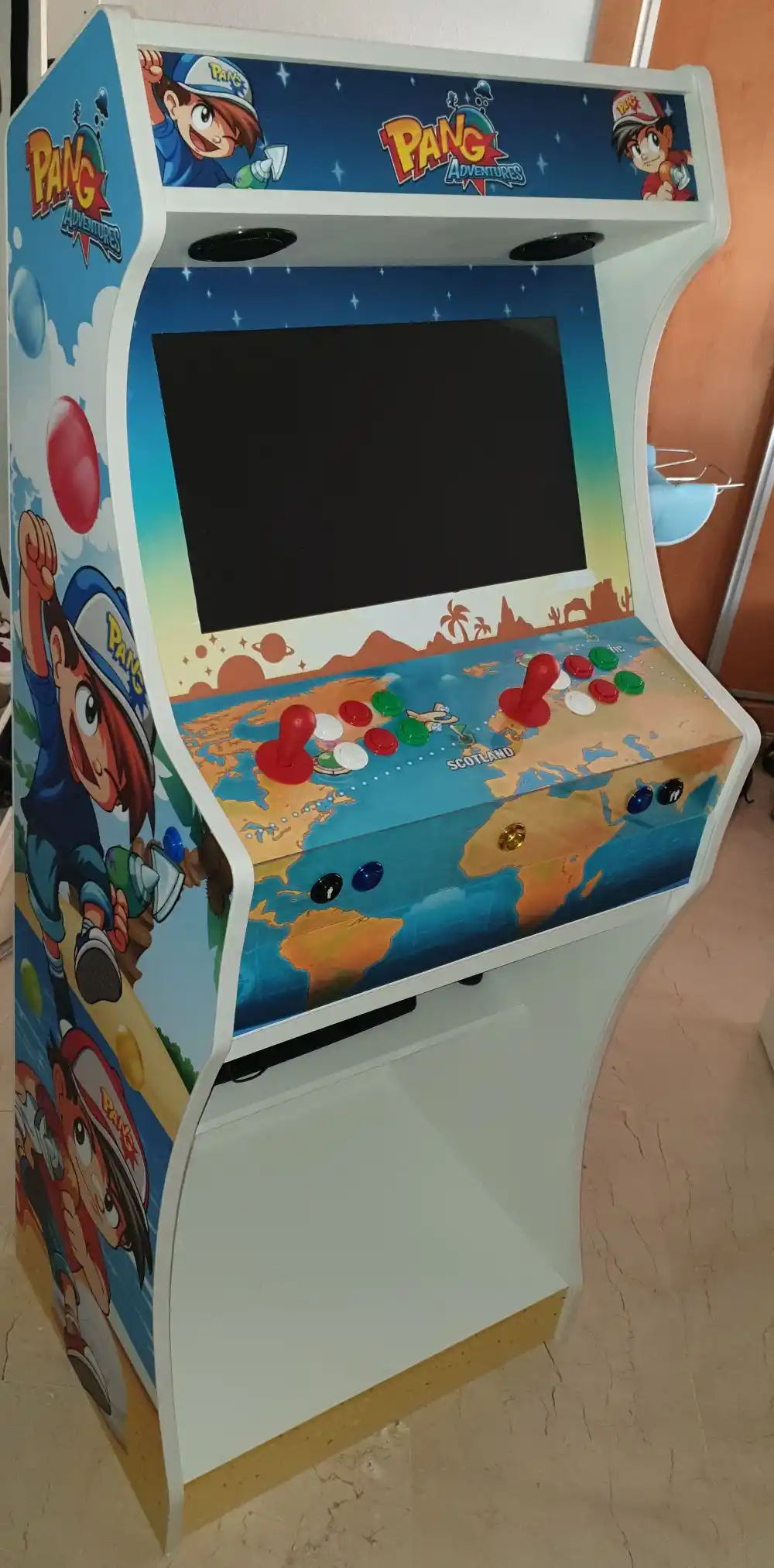
Omniretro stocks display boxes, pedestals and vinyl decals on its website. These come in various heights and widths, with a range of customisation options. The cabinets are assembled using the screws they provide, and the base and pedestal can be secured together to form a single unit. I’d found my supplier for the frame at a more than reasonable price; I just had to make sure I didn’t mess up when putting together the structure of my arcade machine. I chose the largest size: a pedestal without a door so that I could sit close to it without my knees bumping against the door, and a vinyl decal featuring the ‘Pang’ design – one of the games that has entertained me the most in arcades.
JOYSTICKS AND BUTTONS
I’d already ordered the frame, so now it was time to choose the joysticks and arcade buttons – and there’s a whole world of possibilities…
- Joysticks:
- American-style (bat-shaped design; these were the ones most commonly fitted in arcades in the 1980s)
- Japanese (round design, excellent for fighting games, particularly Sanwa models)
- Industrias Lorenzo (bat-style design; these are Spanish-made and of high quality)
- Buttons:
- American (concave, convex, LED)
- Japanese (convex; recommended for fighting games, especially the Sanwa ones)
- Industrias Lorenzo (concave, convex, RGB LED; Spanish-made and of excellent quality)
This is just a summary of what you might come across. After scouring countless forums, posts, websites, reviews, etc., I settled on some joysticks from Industrias Lorenzo, because of the stick design (essential, in my view) and the quality of the microswitches, which are key to ensuring these controllers last and withstand years of heavy use. As for the buttons, I knew straight away that I wanted convex ones because of my memories of ‘Combat School’, where I’d tap them with "25 pesetas" coins to make the characters run faster in the obstacle courses. I also chose the ones from Industrias Lorenzo because of the microswitches.
To connect all these buttons and joysticks to the motherboard, I opted for a Xin-Mo interface for two players; I could also have chosen a Zero Delay interface (with simpler connectors), but after reading up on it extensively, it seems people experience some lag with those. I bought the joysticks, buttons and interface from ArcadeExpress and ArcadeOutlet because of various offers they had at the time.
ASSEMBLY
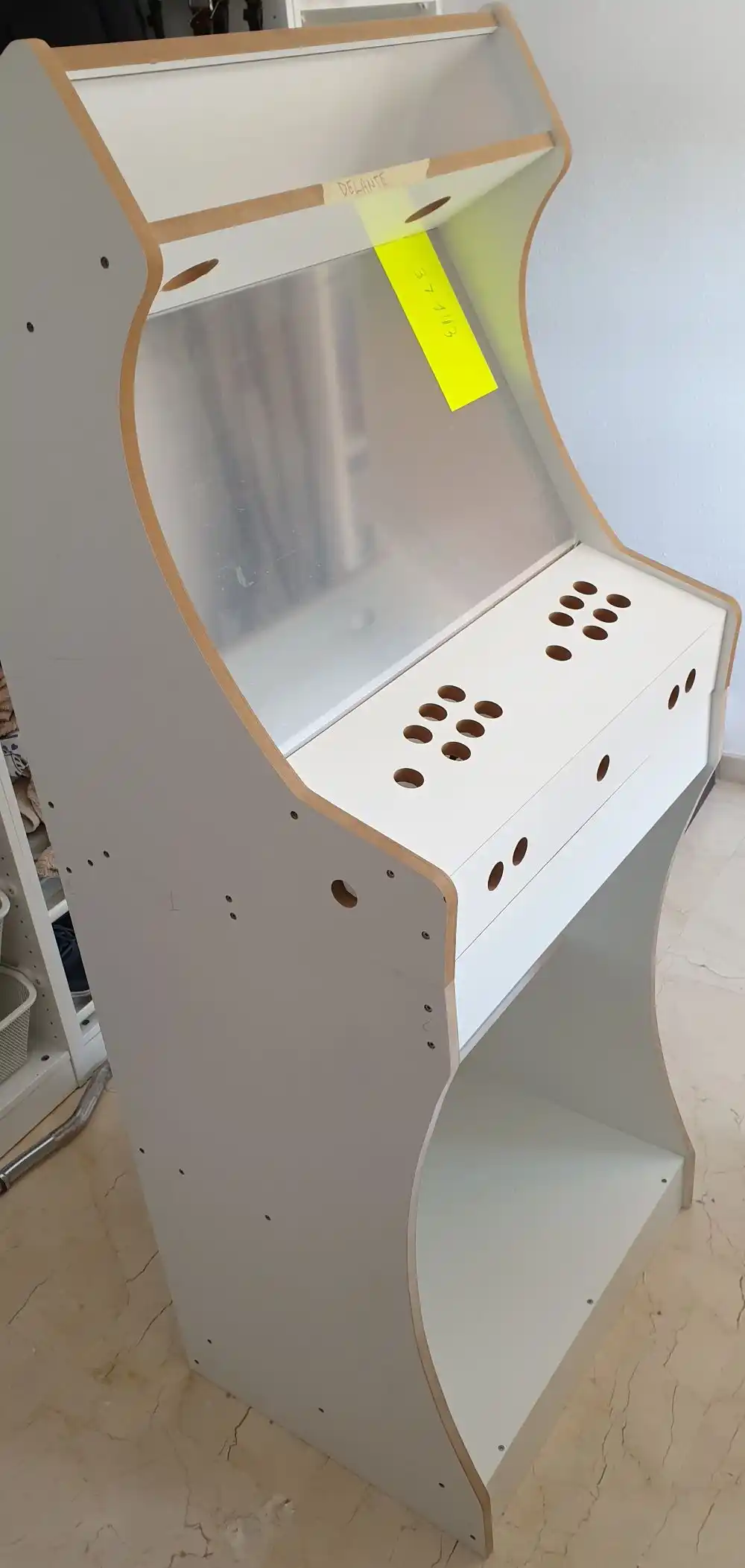
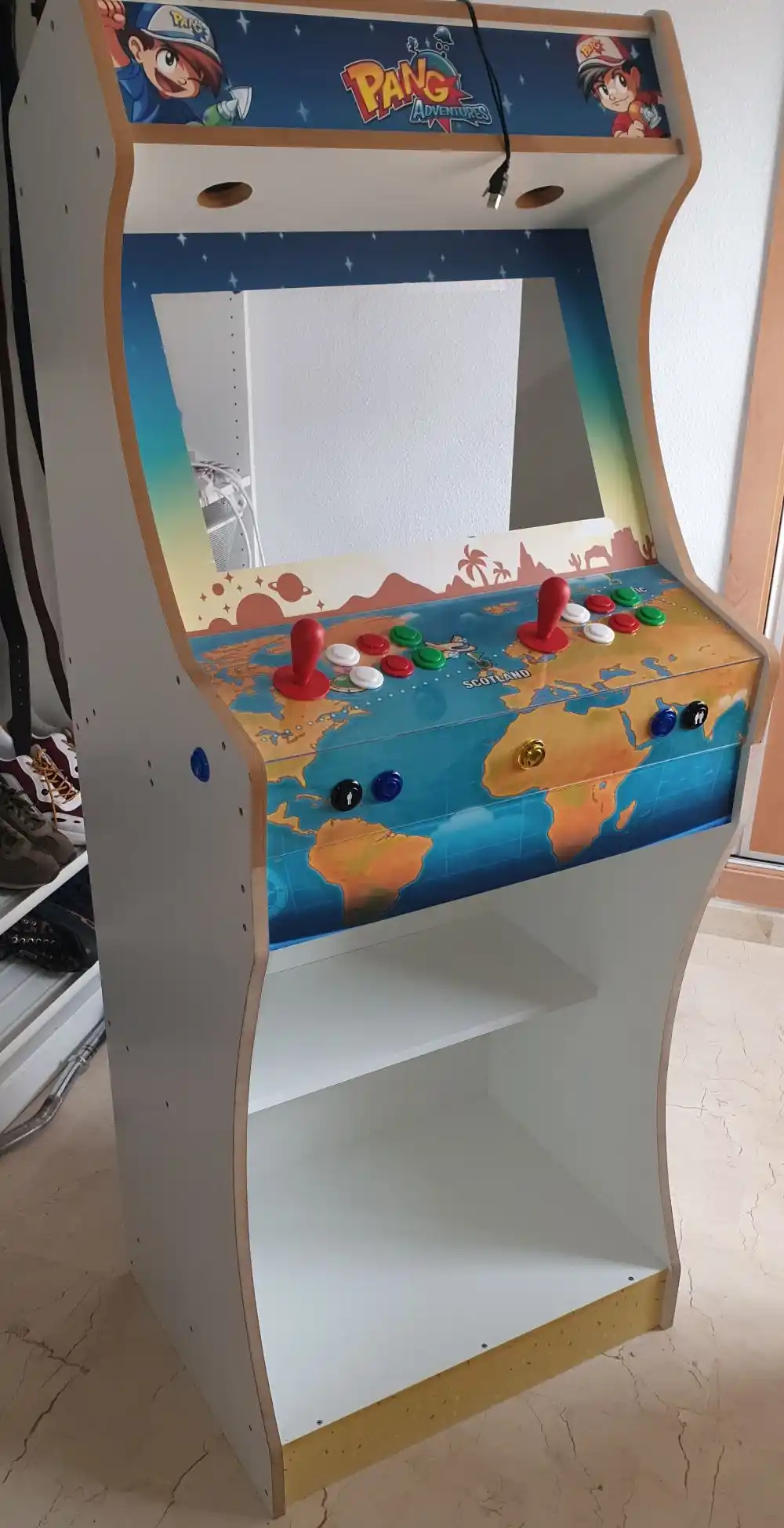
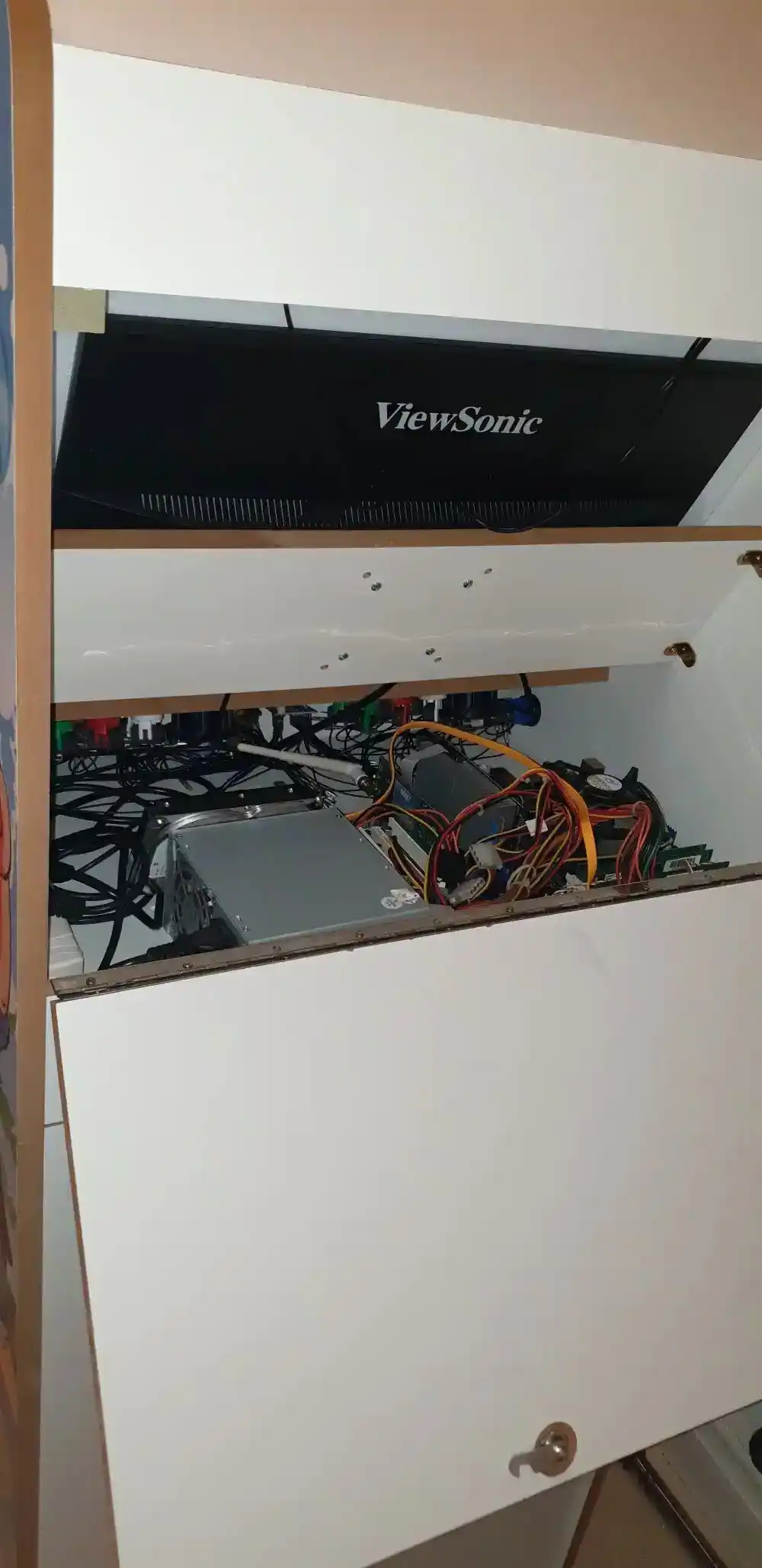
I suppose the best thing is to show you some photos of the process. The assembly sequence is straightforward: assemble the frame, check that the buttons fit, remove the buttons and apply the vinyl decals, add the acrylic sheets (if you want them – I recommend the one for the button panel, as it will protect the vinyl from knocks and scuffs) and put the buttons back on. At this stage, you need to connect all the cables from the buttons and joysticks to the controller board; make sure you connect them in the same order for Player 1 and Player 2. Finally, it’s time to add the computer that will run the emulators. In my case, I decided to install it without a case so I could arrange the components inside the base; I’ve placed the motherboard in one corner and the power supply in another corner to make the most of the space and ensure it’s well ventilated.
SOFTWARE
To round off this post, I’ll mention that there are several ways to get the emulator up and running. I won’t go into the possibilities offered by a Raspberry Pi running Retropie (which are almost endless), but since I’ve built a PC inside this beast, I’ll tell you that with a PC you can set up Windows using Retrobat or Launchbox, which are visually very appealing, or opt for operating systems dedicated to emulation, such as Recalbox, Lakka or Batocera.
Having ruled out installing Windows due to its boot and load times, I tried Lakka but wasn’t convinced. It’s a system that works well, but aesthetically it doesn’t appeal to me. I then tried Recalbox, which works well; as soon as you install it, it’s ready to play and is easy to set up, although the advanced settings can be a bit tricky to get to grips with. In the end, I went for Batocera; it’s a Linux distro that boots up quickly and is ready to emulate whatever you throw at it from the very first minute. This distribution is designed so you don’t have to mess about with emulator settings – just add the BIOS files and ROMs and enjoy.
Tip
If you don’t want to get too bogged down in the details, as you would with Retropie – where you can configure every aspect of each emulator or game – give Recalbox or Batocera a go (you’ll need to add the magic script from the RGS Retropixel group), which are Linux distributions that are perfect for getting started with retro emulation.